PHISHING IN 2025 — NEW TACTICS & HOW SMALL BUSINESSES CAN FIGHT BACK |
|
Phishing isn’t what it used to be. In 2025 attackers combine artificial intelligence, phishing-as-a-service kits, deepfake audio/video, and multichannel social engineering to create highly credible, fast-moving attacks that can fool even cautious employees. Below we will review the new tactics bad actors use today, why they’re dangerous for small businesses, and give step-by-step protections a small business can put in place right now. What’s new — modern phishing tactics you need to know 1. AI-generated, hyper-personalized lures Attackers use generative AI to draft emails and messages that match tone, job role, and recent events (press releases, calendar invites, public social posts). That makes scams sound like they came from a real colleague, vendor, or executive—and does so at scale. Why this matters: personalization increases click and credential-submission rates. 2. Phishing-as-a-Service (PhaaS) and ready-made phishing kits Criminal marketplaces sell subscription phishing kits—complete with fake login pages, email templates, hosting tricks, and even anti-detection features. Large takedowns in 2025 show these services were actively used to steal thousands of cloud credentials. Why this matters: attacks are faster, more reliable, and easier to launch—so volume and variety increase. 3. Deepfake vishing and video (voice & visual impersonation) Voice cloning and video deepfakes let attackers impersonate executives on live calls or send convincing video messages demanding action.
|
Threat intelligence and industry reports show sharp increases in deepfake-enabled vishing incidents in 2025. Why this matters: hearing a CEO’s voice on the phone or seeing a short video asking for urgent action lowers natural suspicion. 4. Multi-channel and “conversation-hijacking” attacks Phishing now moves across email, SMS, Teams/Slack, and even QR codes. Attackers also hijack real email threads or compromise an account and silently insert themselves into ongoing conversations (a refined Business Email Compromise, or BEC). Law enforcement and industry reports show BEC remains a top loss driver. Why this matters: because the message arrives inside an expected conversation or via a trusted channel, victims trust it. 5. MFA bypasses, session cookie theft, and credential replay Some kits and advanced attackers attempt to defeat multi-factor protections by capturing session cookies, using real-time prompt-relay techniques, or tricking users into approving MFA prompts. PhaaS toolsets even advertise features to evade common defenses. Why this matters: while MFA drastically reduces risk, it is not a silver bullet— attacks adapt. 6. Look-alike domains, SSL, and brand impersonation Attack pages now use HTTPS and polished branding, so the presence of a padlock is no longer a reliable safety test. Attackers register domains visually similar to real ones and use redirector chains, making detection harder. Why this matters: people trained to “look for HTTPS” may be misled into trusting a malicious page.
|
How to protect your small business — layered, practical defenses The single best strategy is layers—combine people, process, and technology so an attacker must overcome multiple obstacles. FCS can help implement all the following strategies to help you remain protected and equipped for any Phishing attempts. 1. Harden email and domain defenses
2. Enforce strong authentication & session protections Require MFA everywhere (use app-based authenticators or hardware security keys over SMS). Protect high-risk admin accounts with hardware keys and separate privileged admin workstations. Harden session policies: short session lifetimes for web apps, risk-based conditional access (block logins from unusual countries/devices), and geofencing for admin access. 3. Train and test employees—continuously
|
4. Protect endpoints and browsing
5. Monitor, detect, and respond fast
6. Prepare for deepfake social engineering
Final Thoughts: In 2025, phishing is less about the single “obvious scam” and more about credibility, speed, and cross-channel deception. |
 |
Phishing has evolved far beyond suspicious emails. In 2025, attackers are using AI-generated lures, phishing-as-a-service kits, deepfake audio and video, multi-channel scams, and MFA bypasses to create highly convincing attacks that can trick even vigilant employees. For small businesses, the danger is real—because attacks now arrive through email, text, chat apps, and even inside ongoing conversations. Fake login pages use HTTPS and polished branding, and deepfakes can mimic an executive’s voice or face. The best protection comes from layered defenses. That means implementing SPF, DKIM, and DMARC to secure your domain, enforcing MFA everywhere with hardware keys for admins, and keeping devices patched and monitored with endpoint detection tools. Equally important is continuous employee training through realistic phishing simulations, along with strong business processes that require secondary verification for payments or executive requests. |
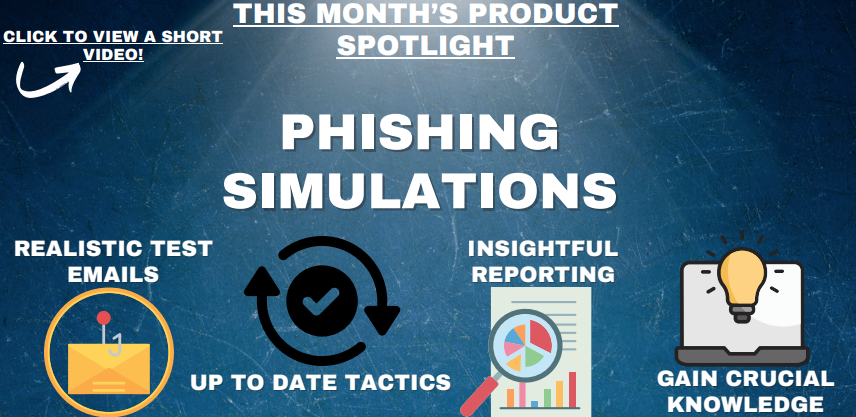 Click Here to View a Short Video!
WHY A SMALL BUSINESS I.T. ROADMAP IS NO LONGER OPTIONAL |
| A few years back, most owners thought of IT as background support, quietly keeping the lights on. Today it’s front-and-center in sales, service, marketing, and even reputation management. When the tech stalls, so does the business.
The risk extends past downtime or slow responses to customers. It’s the steady drip of missed efficiency and untapped opportunity. Without a plan, small businesses often buy tools on impulse to solve urgent issues, only to find they clash with existing systems, blow up budgets, or duplicate something already paid for. Think about the ripple effects:
|
At its core, an IT roadmap is about connection: Linking your business goals, technology, and people so they work toward the same outcomes.
Done well, it:
If you’ve been running without a plan, the good news is you can start small: Set a goal, take inventory, and map the first few steps. You don’t have to have everything perfect right away. What matters is moving from reaction mode to intentional, strategic action. Contact us to start building a future ready IT roadmap that turns your technology from a patchwork of tools into a true growth engine for your business. |
MICROSOFT TOOLS YOU MIGHT NOT BE USING |
|
If you use a Microsoft account at work, chances are you’re already familiar with Outlook, Word, and Excel. But your account actually comes with a handful of other useful tools that can make your workday smoother—and you might not even know they’re included. Here are a few worth checking out: 1. OneDrive Instead of saving files only to your desktop, OneDrive lets you store them in the cloud. That means your documents are backed up, secure, and available from any device—no need to email files to yourself. It’s also a simple way to share documents with coworkers. 2. Microsoft To Do Need help staying on top of tasks? Microsoft To Do is a built-in checklist app that lets you create daily to-dos, set reminders, and track project steps. It works across devices, so you can start a list at your desk and check it off from your phone later. |
3. OneNote Think of OneNote as a digital notebook for everything from meeting notes to brainstorming ideas. It’s organized, searchable, and far better than digging through piles of sticky notes or scattered Word docs. 4. Office Online Even if you’re away from your computer, you can log in through a browser and use web versions of Word, Excel, PowerPoint, and Outlook. It’s great for quick edits or checking files when you don’t have your work laptop with you. Bottom Line: Your Microsoft account is more than just email and Word—it’s packed with tools designed to keep you organized, productive, and secure. Take a few minutes to explore them—you might save yourself time (and a few headaches) in the process. |
7 COMPLIANCE BEST PRACTICES FOR SMALL BUSINESSES THAT ARE OFTEN OVERLOOKED |
| Running a small business comes with many priorities—sales, customer service, operations, and growth often top the list. But compliance is just as critical. Ignoring regulatory requirements can lead to fines, data breaches, or loss of customer trust.
Unfortunately, many small businesses unintentionally overlook some of the most important compliance practices. Here are seven areas that deserve attention: 1. Data Protection and Privacy Regulations Many small businesses assume laws like GDPR, CCPA, or HIPAA don’t apply to them because of their size. But if you collect, store, or process sensitive customer or employee data, you have responsibilities. Failing to secure personal information or provide proper consent notices can result in legal action and reputational damage. Best Practice: Classify the data you handle, implement data retention policies, and use encryption and access controls to protect sensitive information. 2. Employee Training and Awareness Compliance is not just about written policies —it’s about people following them. Too often, employees aren’t trained to recognize phishing attempts, understand acceptable use of company systems, or follow security policies. Best Practice: Provide regular compliance training on cybersecurity, privacy, harassment prevention, and workplace safety. Even short, quarterly sessions can dramatically reduce risks. 3. Vendor and Third-Party Risk Management Small businesses frequently outsource IT, payroll, or marketing functions, but they rarely check if vendors are compliant with security or privacy standards. A weak vendor can be a backdoor into your business. Best Practice: Vet vendors with security questionnaires, require signed agreements around data protection, and review contracts to ensure third parties meet the same compliance standards as your company. 4. Access Control and User Permissions Many businesses give employees broad access to systems or fail to remove access when someone leaves the company. This creates unnecessary risk and may violate compliance frameworks. |
Best Practice: Follow the “least privilege” model—grant employees' access only to what they need for their roles, and review permissions regularly. Immediately disable accounts when staff depart.
5. Documentation and Record-Keeping Compliance often requires proof. Without documentation, even if you are following best practices, you may be considered non-compliant. Many small businesses neglect to keep detailed records of policies, audits, or incident responses. Best Practice: Maintain written security and privacy policies, keep logs of training sessions, and document any incidents or system changes. This not only supports compliance but also builds credibility with customers and partners. 6. Incident Response Planning Most small businesses don’t have a plan for what to do if they’re hacked or experience a data leak. Without preparation, response times slow down, and damage escalates. Best Practice: Create an incident response plan that outlines who to contact, how to contain threats, and how to notify customers or regulators if required. Test the plan annually. 7. Regular Audits and Monitoring Compliance is not a one-and-done activity. Regulations and risks evolve, but small businesses often lack ongoing monitoring to stay ahead. Best Practice: Schedule regular internal audits, vulnerability scans, and compliance reviews. Consider working with a managed service provider (MSP) or compliance consultant to identify gaps before they become problems. Final Thoughts Compliance may feel overwhelming for small businesses, but ignoring it isn’t an option. By addressing these seven areas—data protection, training, vendor risk, access control, documentation, incident response, and ongoing monitoring—you not only avoid fines and penalties but also build stronger trust with your customers. In the long run, good compliance practices aren’t just about avoiding trouble—they’re a competitive advantage
|
ADVANCED STRATEGIES TO LOCK DOWN YOUR BUSINESS LOGINS |
|
Good login security works in layers. The more hoops an attacker has to jump through, the less likely they are to reach your sensitive data. A single strong password isn’t enough— modern cybercriminals use sophisticated tools and social engineering tactics to break in. To defend your organization, you need multiple overlapping protections. Here are practical, actionable steps to ensure your employees and systems are safeguarded. 1. Strengthen Password and Authentication Policies If your company still allows weak, predictable logins or password reuse, attackers already have an advantage. Stolen and cracked passwords remain one of the most common entry points for data breaches. What works better:
|
2. Secure Devices, Networks, and Browsers
Even the strongest password is useless if an attacker compromises the device or network it’s entered on. Login security must extend to the environment where credentials are used.
3. Protect Email as a Common Attack Gateway Email remains the #1 vector for credential theft. A single convincing phishing email can undo all your other defenses.
|
4. Enforce Multi-Factor Authentication (MFA) Everywhere
Passwords alone are no longer enough. MFA is one of the most effective ways to stop unauthorized logins, even if a password is stolen.
Think of MFA as locking your front door and requiring a second key—an attacker may get one, but rarely both. 5. Reduce Risk with Access Control and Least Privilege The more accounts and privileges floating around, the greater the risk of compromise. Following the “least privilege” model ensures employees only have the access they truly need.
|
6. Plan for the Inevitable: Incident Response and Monitoring
Even the best defenses can be bypassed. The question isn’t if but when someone will attempt to access your systems. Preparation determines whether an incident becomes a minor inconvenience or a major breach.
Make Your Logins a Security Asset, Not a Weak Spot You don’t have to fix everything overnight. Start with the weakest link—whether it’s a shared admin password, a lack of MFA, or employees connecting over unsecured Wi-Fi— and address it. Then move to the next gap. Over time, these incremental improvements build into a strong, layered defense. Done right, your login security doesn’t just keep attackers out—it becomes a strategic asset that protects your business, your people, and your reputation. |
We Love ReferralsThe greatest gift anyone can give us is a referral to another business in need of IT services. Referrals help us keep costs down so we can pass the savings to our clients.If your referral ends up becoming a client - we’ll gift them their first month of service at no charge AND we’ll gift you a $500 Amazon Gift Voucher.Simply introduce me via email to stan@fcskc.com and I’ll take it from there. I personally promise we’ll look after your referral's business with a high level of care and attention (just like we do with all our clients).-Stan |
We Want Your FeedbackHere at Ferguson Computer Services, we value your feedback greatly and would appreciate if you took time from your busy schedule to leave us a review. These reviews let us know what we are doing well and what we might be able to improve on in the future.
|
Technology Trivia TimeTechnology Trivia Question of the Month! Send the correct answer to winner@fcskc.com to be entered to win a $50 gift card to Amazon.Here is September's question of the month:True or False: Criminal Marketplaces sell subscription phishing kits complete with fake login pages and email templates. |

 |
